All Articles

Two Approaches to Upgrading an Application

Since 2017 we have been focusing on upgrading Ruby on Rails applications opens a new window . It’s been quite a fulfilling learning process as we continuously improve our workflow best practices, and internal tooling.

In this article I will go into detail to explain how we determine the best approach to create the roadmap for a successful upgrade project.

Read more of Two Approaches to Upgrading an Application opens a new window

Heroku-22-Stack-Upgrade-Guide

As of May 1st, 2023, Heroku will no longer be supporting the Heroku-18 stack. The reason for this deprecation is to maintain synchronization with the Ubuntu Long Term Support releases. If you are currently running your Rails application on this stack, when you navigate to the Heroku dashboard you will notice a warning to upgrade to either Heroku-20 or Heroku-22 before the end of the Heroku-18 stack life on April 30th, 2023.
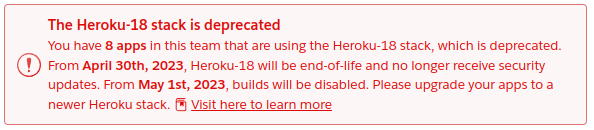
Heroku warning: the Heroku-18 stack is deprecated

While Heroku-18 will not be supported, do not be alarmed or concerned that the apps running on this stack will stop working. Heroku has confirmed that all existing applications will not be interrupted and non-build functionality will still be available. However, to maintain access to security updates, technical support and the ability to perform new builds, an upgrade will be necessary and is highly recommended.

Read more of Heroku-22-Stack-Upgrade-Guide opens a new window

Dual Booting with Engines and Gems

Gems are a central part in a Rails application, they help us add new functionality to our apps so we don’t have to reinvent the wheel, but also allows us to extract code to better organize the codebase and to share logic between multiple apps. In many cases, we have custom made gems, and we need to ensure they will work properly with the two Rails versions we run when we use the Dual Boot technique opens a new window during upgrades. But… How do you dual boot the gems?

Read more of Dual Booting with Engines and Gems opens a new window